
Extract leadership contact information from websites
Extract leadership contact information from websites with Spider's API or dashboard. Crawl team and about pages, then get names, titles, emails, and phones.
Spider uses AI to extract names, job titles, emails, and phone numbers from websites. For leadership contact information, point it at a company’s team, about, or leadership page. The crawler handles page access, including protected sites, and the AI model reads structured contact data out of the page text whatever the HTML looks like. Titles come back as their own field. Read the returned titles and addresses before you sort executives from shared inboxes, since a title can come back empty or vague.
Extract from the dashboard
The fastest way to extract contacts is through the Spider dashboard:
- Crawl the target website from your dashboard.
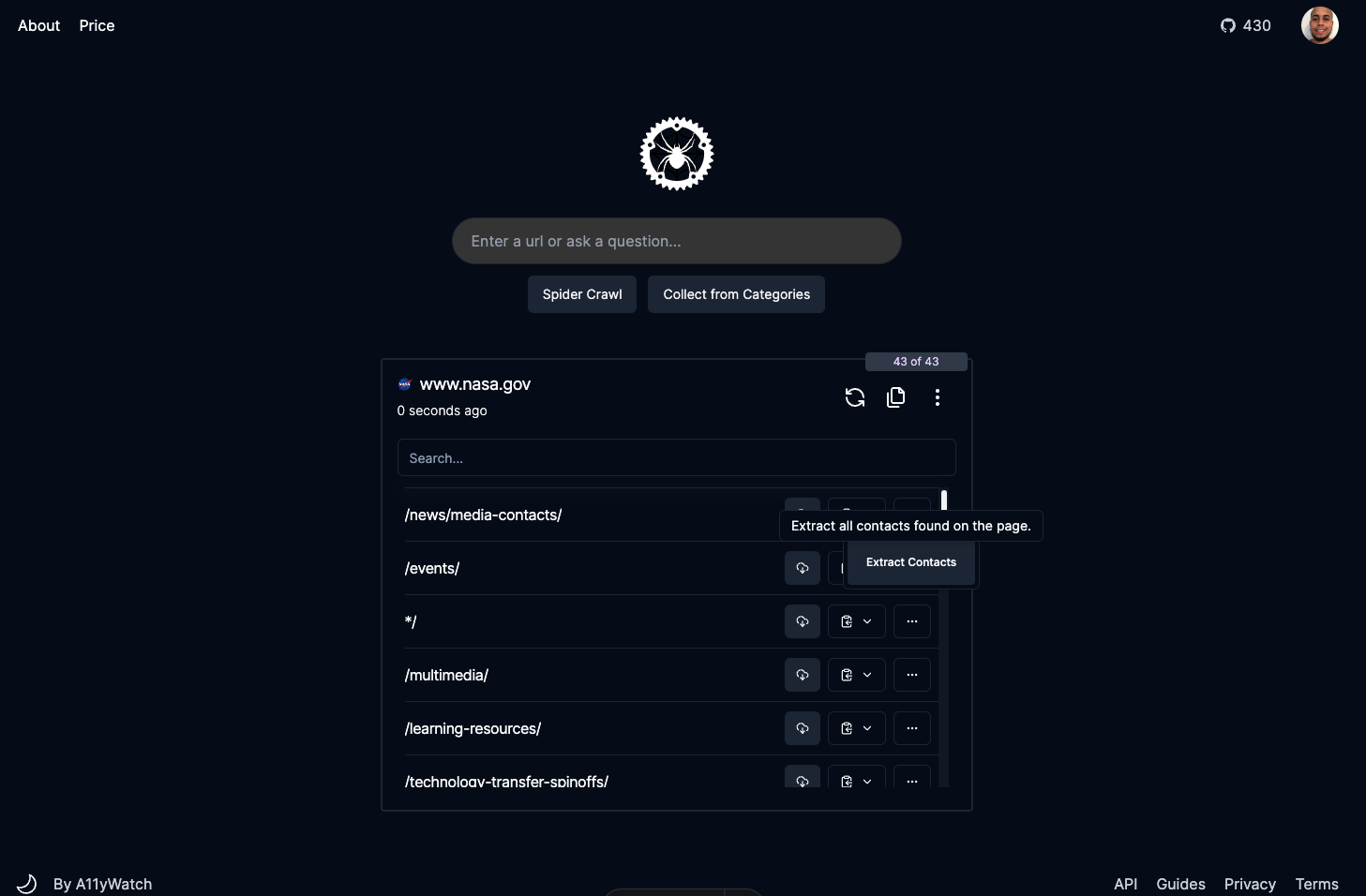
- Open the page you want to extract contacts from.
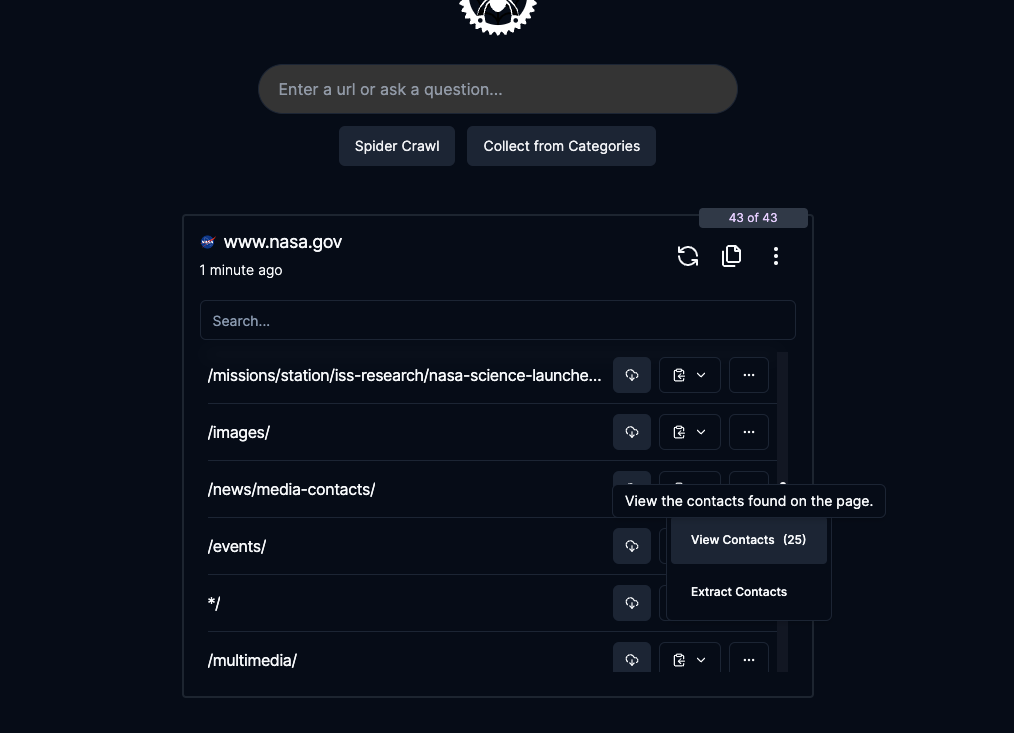
- Click the dropdown menu and select Extract Contact.
- Wait 10-60 seconds for AI processing.
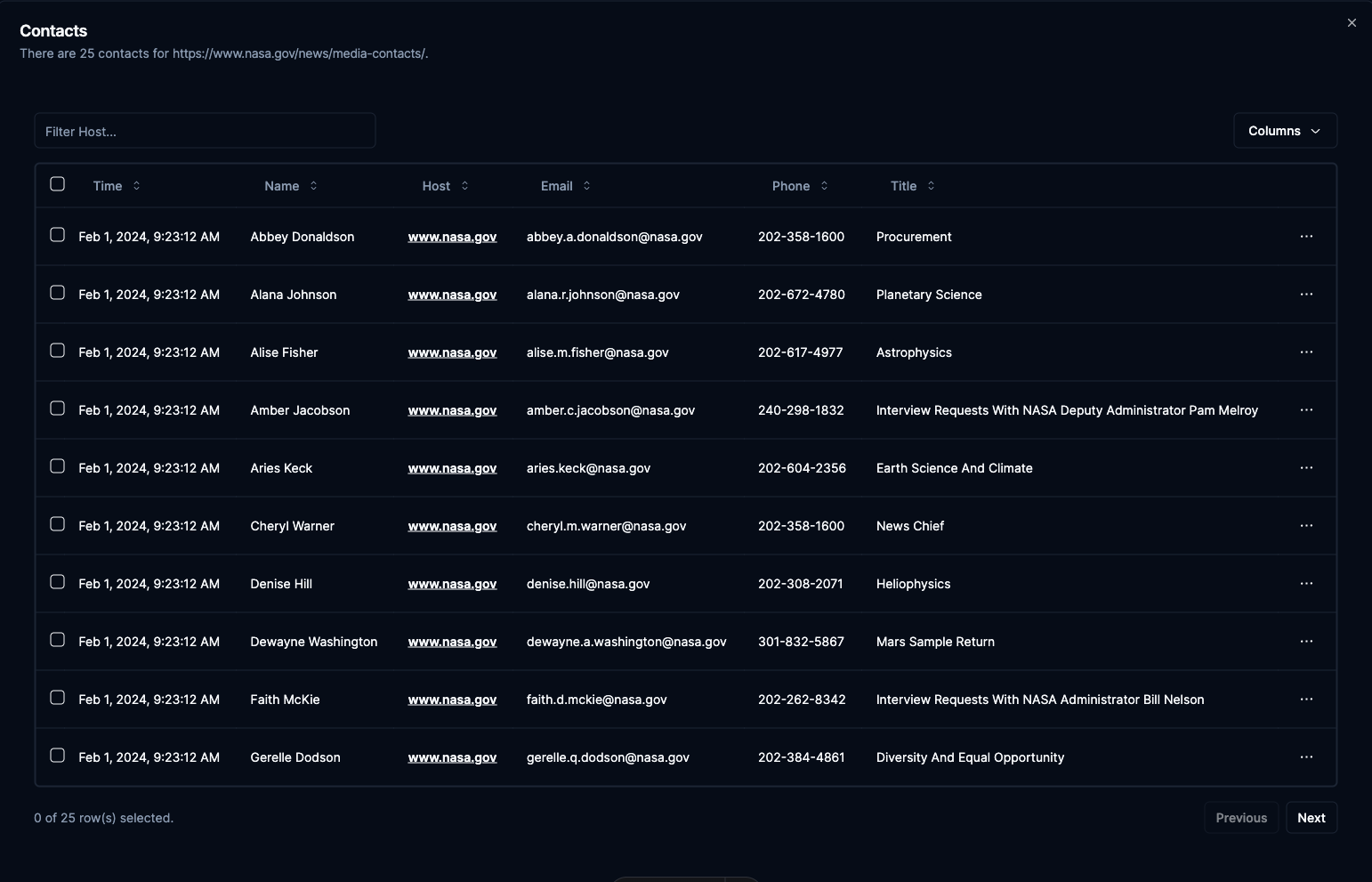
Results appear in a grid showing name, email, phone, title, and source website.
Extract via API
Use the /pipeline/extract-contacts endpoint to extract contacts programmatically. All parameters are optional except url. Use prompt to customize how the AI handles extraction. Set store_data to save extracted contacts with the page in your dashboard.
import requests, os, json

headers = {
    'Authorization': f'Bearer {os.getenv("SPIDER_API_KEY")}',
    'Content-Type': 'application/json',
}

response = requests.post('https://api.spider.cloud/v1/pipeline/extract-contacts',
  headers=headers,
  json={
    "url": "https://example.com/team",
    "limit": 1,
    "model": "gpt-4o",
    "prompt": "Extract all team member contact information"
  },
  stream=True
)

for line in response.iter_lines():
    if line:
        print(json.loads(line))
Extract leadership contact information
Check the /team, /about, /leadership, and press pages. Those are where executive profiles usually sit, and the job title next to a name is what tells a VP apart from an account manager. Point the crawl at those paths and name the roles you want in the prompt:
response = requests.post('https://api.spider.cloud/v1/pipeline/extract-contacts',
  headers=headers,
  json={
    "url": "https://example.com/leadership",
    "limit": 5,
    "model": "gpt-4o",
    "prompt": "Extract executives and department heads only. For each person return name, job title, email, and phone. Skip generic inboxes such as info@ or support@."
  },
  stream=True
)
Ask for the title explicitly, since that is the field you filter and score on later. Keep limit low when you already know the URL, because a leadership page is one page and crawling the whole marketing site to find it costs credits.
Reduce costs with link filtering
For large sites, you can save credits by filtering links before running extraction. Use the /links endpoint to gather all URLs, then /pipeline/filter-links to narrow down to pages likely to contain contacts, such as /team, /about, /leadership, and /contact, and finally run /pipeline/extract-contacts only on the filtered set.
Loading graph...
This pipeline approach can cut extraction costs significantly on sites with hundreds of pages where only a few contain contact information.
Note: The
/pipeline/filter-linksendpoint is deprecated. Use CSS selectors or crawl parameters to filter URLs instead.
Run this on a page you care about
The playground sends the request this page describes and shows you the response. Keyless runs work without an account and are rate limited.